Lifetime $19 — pay once, use forever. $49 returns when this runs out:
23h
:
59m
:
59s

Image Merge
by Qrdy · Canva app
Secure checkout · LemonSqueezy
Mask with your photos.
Mask with text. Merge in bulk.
Pay $19 once.
Free gives you 44 shapes, shapes from your design, every background and all 17 effects. Image Merge Pro adds the masks that make those effects come alive: your photos, transparent images from your design, text. Plus bulk merge, up to 50 results in one click.
$49 · Save 61%
One payment · never expires · 7-day refund
💡
$19 once — no subscription, no renewals. Pay today and keep every future update forever.
17 EFFECTS · 1 MASK + 1 BACKGROUND
Canva · Image Merge
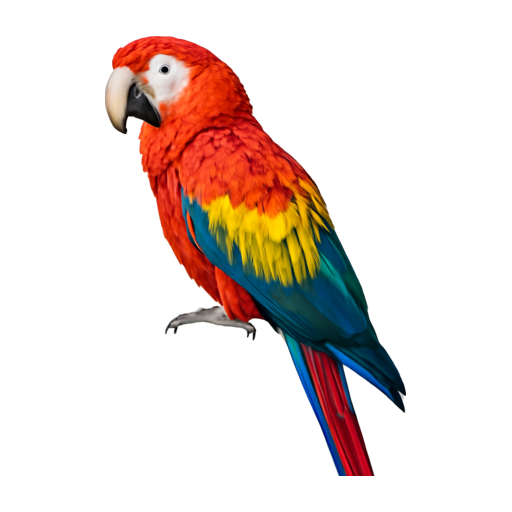
Mask · your photo
+

Background
pick an effect,
preview updates
Installed by 341K+ people on Canva
27
QRdy apps on Canva
7.3M+
installs across all apps
7-day
money-back
FREE VS IMAGE MERGE PRO
The difference is in the mask, and in how many at once.
Backgrounds, all 17 effects and manual position are free for everyone. Image Merge Pro unlocks the masks that make effects visible (your photos, text) and bulk merge.
Free
forever
Cut any photo into 44 shapes, with all 17 effects.
Canva · Image Merge
PREVIEW · PINNED WHILE YOU SCROLL
Adjust position manually
Effect
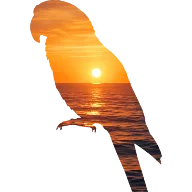
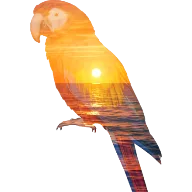
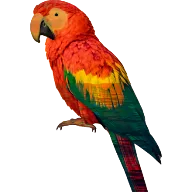
Mask type
Shape
Image
Text
System
See all (44)
44 mask shapes, offline, with a See all grid
circle, heart, t-shirt, cloud…
Shapes from your design as masks
Backgrounds: from design, upload, Export design, gradient
17 effects, picked by thumbnail
Mask, Double exposure, Multiply…
Effect controls: Intensity, Black & white, Invert, Tint, Swap
Manual position: Snap corners + X / Y / Scale
Add to Canva · no watermark · unlimited merges
Your photos as masks
Image Merge Pro
Transparent images from your design as masks
Image Merge Pro
Text mask: type a word, pick a font
Image Merge Pro
Bulk merge: masks × backgrounds, up to 50
Image Merge Pro
Image Merge Pro · Lifetime
once
Your own masks, and up to 50 merges in one click.
Canva · Image Merge Pro

PREVIEW · 3 MASKS × 2 BACKGROUNDS = 6
Adjust position manually
Effect
Mask type
Shape
Image
Text
System
See all (44)
44 mask shapes, offline, with a See all grid
circle, heart, t-shirt, cloud…
Shapes from your design as masks
Backgrounds: from design, upload, Export design, gradient
17 effects, picked by thumbnail
finally visible on photo masks
Effect controls: Intensity, Black & white, Invert, Tint, Swap
Manual position: Snap corners + X / Y / Scale
Add to Canva · no watermark · unlimited merges
Your photos as masks
upload up to 5 at once
Transparent images from your design as masks
any transparent PNG on your page
Text mask: type a word, pick a font
size, letter spacing, border
Bulk merge: masks × backgrounds, up to 50
laid out evenly on your page
IMAGE MERGE PRO UNLOCKS 4 THINGS
Your masks. In bulk.
Backgrounds and all 17 effects are free for everyone, with 44 shapes to cut into. These four are the entire difference, and they are what turns a cut-out into a real blend.
Pick many masks, many backgrounds. Merge once.
Tap to multi-select shapes, your uploads or images from your design, and one or more backgrounds. Image Merge renders every combination (up to 50), shows them in a pinned grid, then lays them out evenly on your page at the page's own size. Sticker sheets, mood boards and product sets in one click.
✕
Free: one mask × one background per merge
Pro: up to 50 combinations, arranged on the page for you
PREVIEW · 8 RESULTS
Clear
4 shapes × 2 backgrounds. Snap corners still apply to every item.
Mask with any image, uploaded or already in your design.
Upload up to 5 PNG or JPEG masks at once, or pick a transparent image already on your page. Because a photo has colour and detail, the 17 effects finally show their difference: Multiply darkens, Screen lightens, Hue recolours. With a flat shape they all look like a tinted cut-out.
✕
Free: library shapes and design shapes only, so every effect is a tinted cut-out
Pro: any image works as a mask, and every effect comes alive
macaw.png · uploaded
Merge
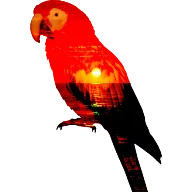
Merged · Double exposure
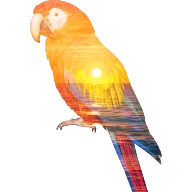
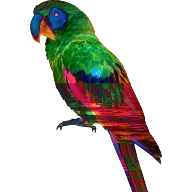
SAME PHOTO, OTHER EFFECTS
Multiply
Screen
Difference
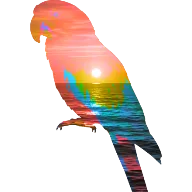
Hue
TYPE A WORD:
CITY
PRO · TEXT MASK

Background:
skyline.png
font · size · spacing · border
Type a word, your photo fills the letters.
The most popular typography effect for posters, social covers and YouTube thumbnails. Type your text, pick a font, adjust size, letter spacing and border, and the background photo fills the letters instantly.
✕
Free: no text mask
Pro: type, pick a font, done
HOW IT WORKS
Four picks. One button.
Mask, background, effect, merge. The preview stays pinned on top while you scroll the options.
Mask type
Shape · Image · Text
44 shapes and the shapes already on your page are free. Image (upload up to 5) and Text need Image Merge Pro.
Background type
From design · Image · Gradient
Any photo on your page, an upload, the whole page flattened via Export design, or a gradient. All free.
Effect
17 thumbnails
Tap one and the pinned preview updates. Intensity, Black & white, Invert, Tint color, Swap layers appear only where the effect supports them.
Merge images
Transparent PNG on your page
Cropped to the shape, no watermark. Tick Adjust position manually first for Snap corners and X / Y / Scale.
17 effects · pick by thumbnail
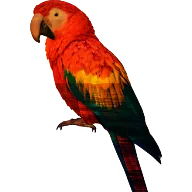
Exactly the thumbnails you see in the app: the same macaw on the same sunset, rendered with each effect. No blend-mode vocabulary needed.
Mask
Double exposure
Darken
Multiply
Color burn
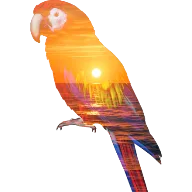
Lighten
Screen
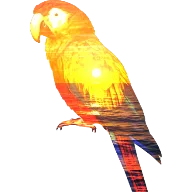
Color dodge
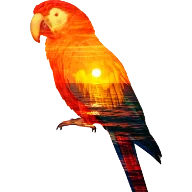
Overlay
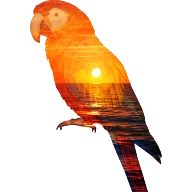
Soft light
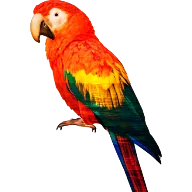
Hard light
Difference
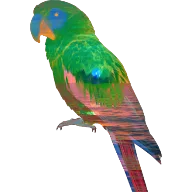
Exclusion
Hue
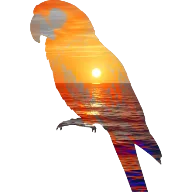
Saturation
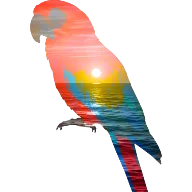
Color
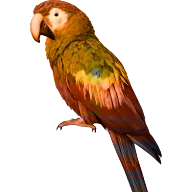
Luminosity
Why effects need a photo mask
Same Multiply. Two masks.
A library shape, a shape from your design or a word has one flat colour. Blend it over the cut-out and every effect gives the same cut, only tinted. A photo has colour and detail, so Multiply, Screen, Hue and the rest visibly change the result. Photo masks are what Image Merge Pro unlocks.
Library shape (free)
a tinted cut-out
Your photo (Image Merge Pro)
a real blend
LIFETIME OWNERS
Paid once. Owned it ever since.
“I needed a client cover cut to their own logo, not a stock shape. Image Merge Pro lets me upload my own silhouette — Lifetime $19 paid back on my first job.”
Mai N.
Canva designer
“I just type my product name as a mask and the texture fills inside. My listings finally look pro and on-brand. Worth $19 in a heartbeat.”
Carla R.
Etsy shop owner
“Text mask makes thumbnails so much easier — type the episode title, drop a background photo, done. Paid $19 once and it's mine for good.”
Tom K.
YouTuber
PRICING · TWO WAYS TO GO PRO
Pay yearly, or once for life.
Try Image Merge Pro free, then pick how you pay: $12 a year, cancel anytime, or $19 once and never again. Both unlock your photos, text and design images as masks, plus bulk merge — every update included.
Image Merge Pro · Yearly
/ year
Free trial first, then $12 a year. Cancel anytime.
Upload mask — up to 5 of your own images at once
Transparent images from your design as masks
Text mask — type a word, pick a font, your photo fills the letters
Bulk merge — up to 50 mask × background results, laid out on your page
Every update while subscribed
Cancel anytime from Manage subscription
Image Merge Pro · Lifetime
once · forever
$49
Pays for itself in 19 months vs Yearly. One payment, no renewals.
Upload mask — up to 5 of your own images at once
Transparent images from your design as masks
Text mask — type a word, pick a font, your photo fills the letters
Bulk merge — up to 50 mask × background results, laid out on your page
Free updates FOREVER
Priority support
Never expires · nothing to renew
7-day refund
Secure checkout · LemonSqueezy
Yearly: cancel anytime
* Yearly renews automatically each year until you cancel from Manage subscription. Lifetime is a one-time license valid for as long as Canva and the Image Merge app are operational.
7-day money-back guarantee
100% refund within 7 days — no questions asked.
Try Pro for 7 days. Don't love it? Email us — get a full refund. You risk nothing.
FAQ
Quick answers.
LIFETIME DEAL · SAVE $30
$19 once.
Your photos, text and bulk merge, forever.
The four things Image Merge Pro unlocks. Never expires. Never renews. Free updates.
$49 · 7-day refund · LemonSqueezy checkout · Active immediately